Run an interactive live stream.
Add trivia, polls, giveaways and word games to your live stream. Viewers take part by typing a comment in the live chat on YouTube, Facebook, Twitch or Instagram. LiveReacting reads the answers and shows the results on the stream. No separate page or app. They play where they watch.
- Free to start
- 4.8 from 633 reviews 4.8 is the average of 633 customer reviews. They come from public review sites and from our own review system.




- 2070Streams broadcasting through LiveReacting right now. Value updated every hour from the actual database. Streams live right now
- 3M+Every stream published through LiveReacting since launch. Counted in the LiveReacting database on 11 September 2026. Streams published
- 39K+ Customers
- 99.998% Uptime






Your viewers play in the live chat they already have open.
LiveReacting reads the live chat on YouTube, Facebook, Twitch and Instagram while you stream. A comment is an answer, a vote or an entry, and the result appears on the stream.


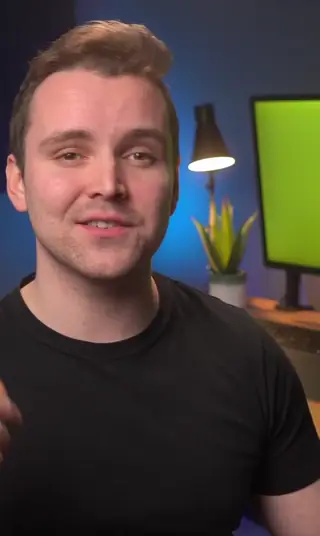
-
One game across YouTube, Facebook, Twitch and Instagram
Stream to several of them at once and LiveReacting puts their comments into one game. A vote on YouTube and a vote on Facebook land in the same count.
-
What happens on the other destinations
TikTok, Kick, LinkedIn and any RTMP destination receive the stream but not the comments. For a trivia game, players there open a web page and answer on it, and LiveReacting scores it like a comment.
-
Nobody leaves the stream to play
Many interactive tools send viewers to a separate page or app to vote or play. LiveReacting reads the chat of the platform itself, so viewers stay on the YouTube, Facebook, Twitch or Instagram page they are already watching and answer under the video.
Run a quiz, and LiveReacting scores every answer in the chat.
Write your questions, or pick them from the LiveReacting library. Each one goes on the stream with its options, viewers answer in the chat, and the round ends on your timer.
See the trivia game →-
Text, a picture or a video clip
A question can be words alone, a picture, or a short video with the answers under it.
-
One answer per viewer
Viewers type the option number or the answer itself. LiveReacting keeps each viewer's first answer. You choose whether a faster answer scores more or every correct answer scores the same.
-
The right answer, then the leaderboard
After each question, viewers see the correct answer and who got it. At the end, the leaderboard names the winners. A knockout mode keeps only the players who were right so far.
Ask a question, and the count changes on screen as votes come in.
Each option has its own word. A viewer comments it, LiveReacting counts one vote per viewer, and the bars move on the stream while the poll is open.
See polls →-
Bars, a list or picture cards
Show the poll as bars, as a list of options with a bar under each, or as picture cards.
-
A reaction as a vote, on Facebook
On a Facebook live stream, viewers can vote with a reaction instead of a comment, and LiveReacting counts each reaction for its option.
-
The next question without stopping
Reset the count and ask a new question while the stream stays on air.
Pick an entry word, and LiveReacting draws the winner.
Everyone who comments the word is in, once. Their names and photos fill the screen as they join, and when the timer ends, or when you decide, the draw runs on the stream.
See giveaways →-
One entry per viewer
LiveReacting drops repeat comments from the same viewer. You can leave out your own team by name.
-
A second prize, a second draw
Draw again and the first winner is not picked twice.
-
Confirming a winner on YouTube
YouTube has no way to message a viewer. The winner opens a link, signs in with the account they played with, and leaves an email address for the prize.
More games your viewers play in the chat.
Viewers type what they see, spot or guess, and LiveReacting scores it on the stream.
-
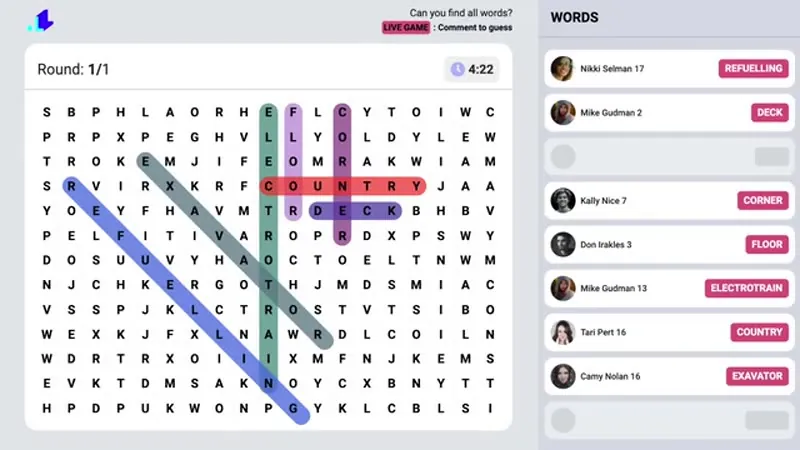
Word search
Hide words in a letter grid. Viewers type each word they spot, and LiveReacting scores every correct find on a leaderboard.
See word search -
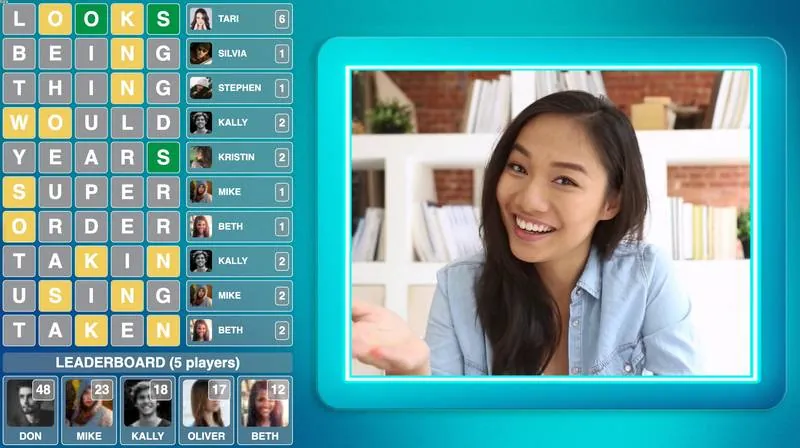
Wordict
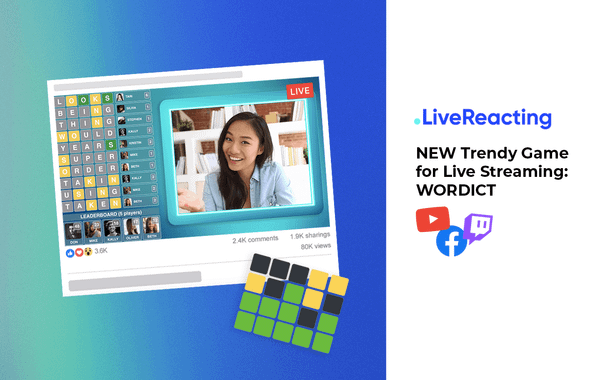
Hide a five-letter word, Wordle-style. Viewers guess it one comment at a time, and each guess is marked letter by letter on screen.
See Wordict -
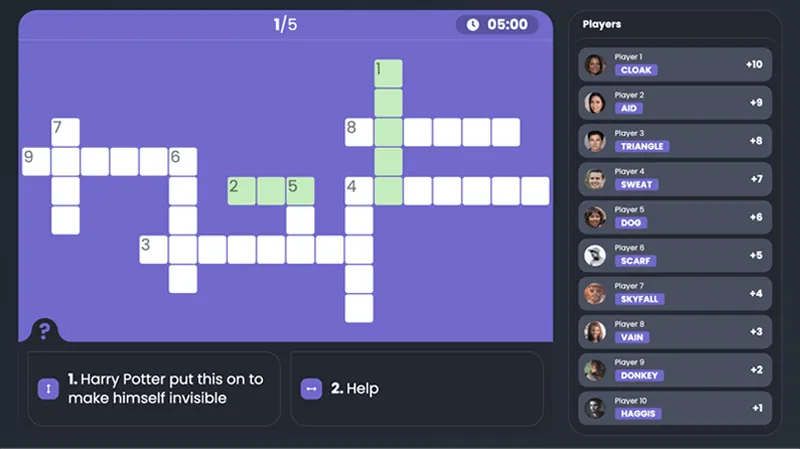
Crossword
Write the clues in rounds. Viewers answer them in the chat, and the leaderboard carries from round to round.
Help Center guide -
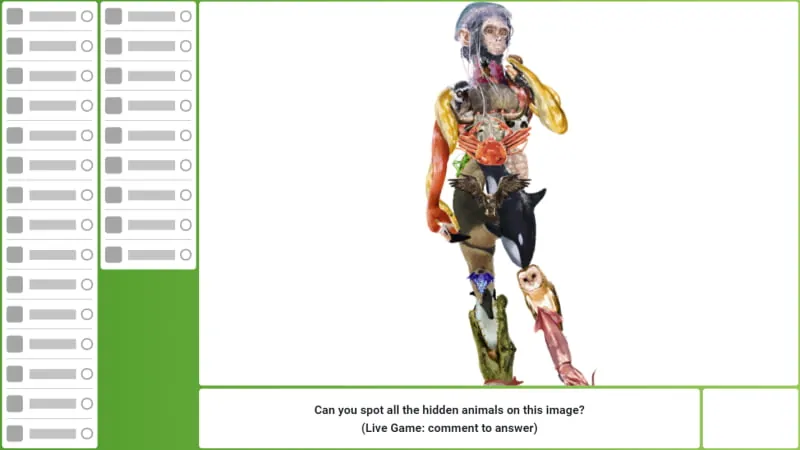
Hidden objects
Show a picture with animals hidden in it. A viewer who spots one comments its name, and LiveReacting marks it right or wrong on screen.
Help Center guide -
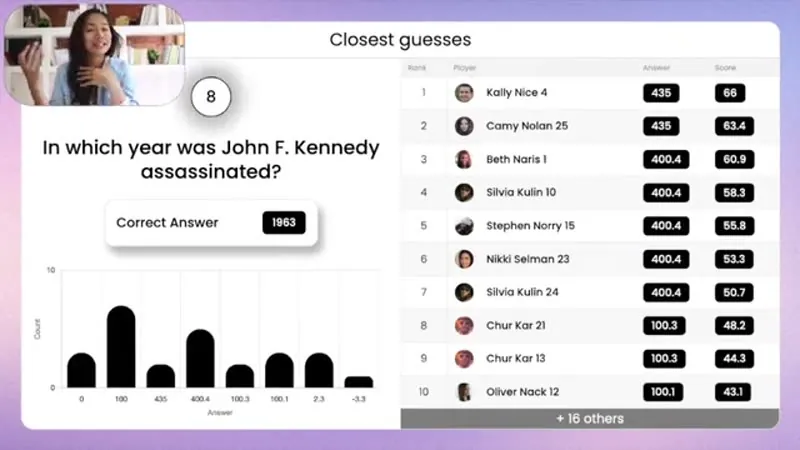
Closest guess
Ask for a number, a price, a date. Viewers guess in the chat, and LiveReacting ranks each guess by how close it comes.
See closest guess -
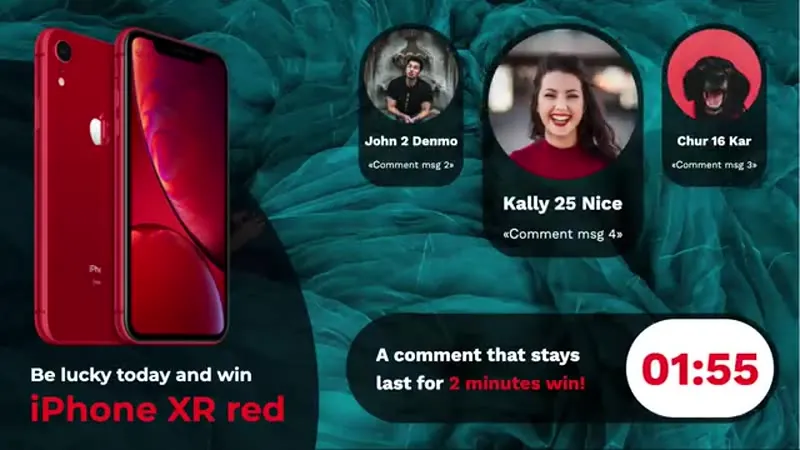
Last comment wins
Set a timer. Every new comment resets it, and when nobody comments before it runs out, the last commenter wins.
See last comment wins
Add trivia, polls and giveaways to your OBS scene.
Plugin Mode gives your project one link. Add it to your scene in OBS, vMix, StreamYard or Ecamm as a browser source, and the game appears over your picture on a transparent background. Your software keeps sending the video, and LiveReacting keeps reading the live chat.
Read the browser source guide →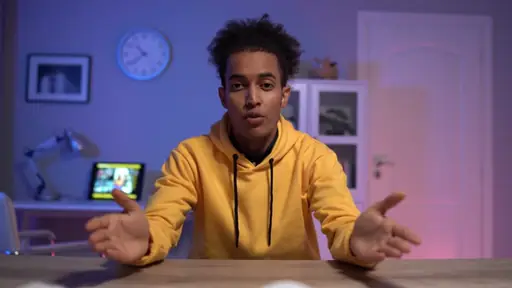
-
One link, transparent background
Open the link as a browser source, or share it as a window. Everything but the game is see-through.
-
Your channel, your stream
Start the stream in your software as usual. LiveReacting finds the live video on the YouTube, Facebook, Twitch or Instagram channel you connected to it, and reads that chat.
-
Nothing about your setup changes
Your scenes, cameras, transitions and overlays stay as they are, in the software you already know. LiveReacting adds only the game, and your viewers see it in the same stream they already watch.
3M+ live streams, 39K+ happy customers.
What it is like to play with your viewers.

“The different live stream formats LiveReacting provides have engaged our community with practical, intuitive, and fun trivia games & giveaways.
We plan to use these tools to expand our content creation even more in the future.”
 Luisa & MatLive Content Team at Hobbii
“LiveReacting is an amazing tool for interactive games on your live stream.
You can create all sorts of live games to play with your audience. It is really easy to set up and use.”
 Michael Feyrer Jr.Live Streaming Expert & YouTube Entrepreneur
“The most amazing thing about this software is that you can update your stream on the fly. You can change branding, add pre-recorded videos and all from the cloud.
And then of course all the interactive tools like the countdowns, polls, trivia games are just so cool.”
 Geoffrey E.Chief Content Officer at a marketing agency
Picked from 3,783,009 live streams.
Interactive live streams our customers ran.
Open a ready-made game and change it.
A ready-made stream project for one occasion. Open it, keep it as it is or change what you need, and go live without building anything from scratch.
-
 Open template
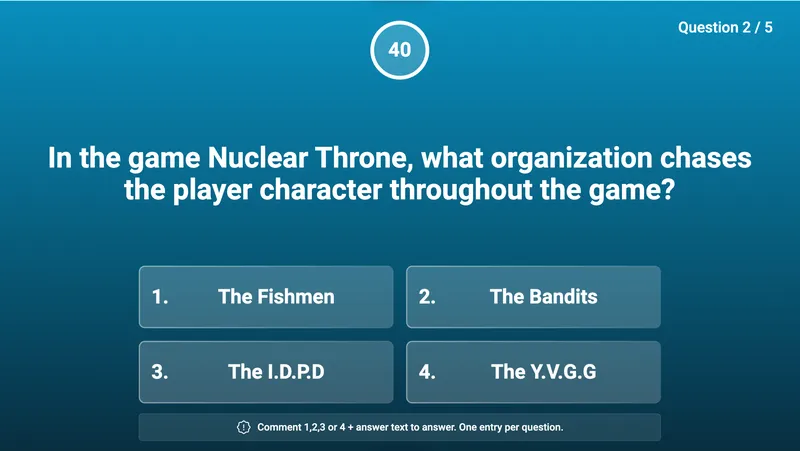
Questions on screen, answers in the chat, a leaderboard at the end.
Simple trivia game
Open template
Questions on screen, answers in the chat, a leaderboard at the end.
Simple trivia game
-
 Open template
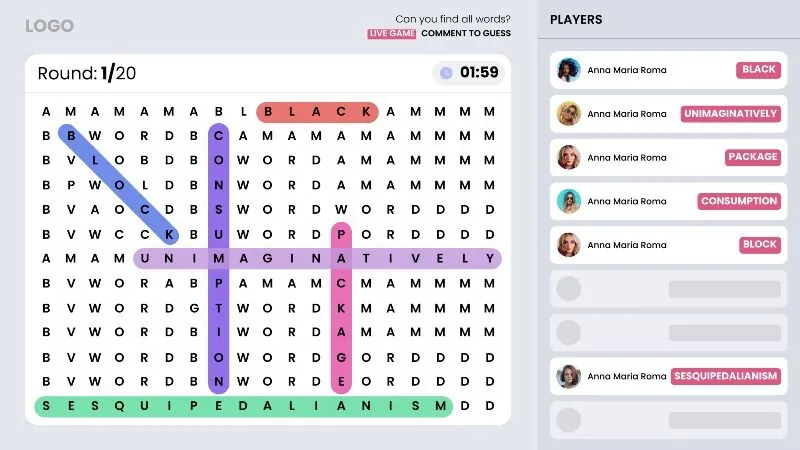
A grid of letters with words hidden in it, scored as viewers find them.
Word search game
Open template
A grid of letters with words hidden in it, scored as viewers find them.
Word search game
-
 Open template
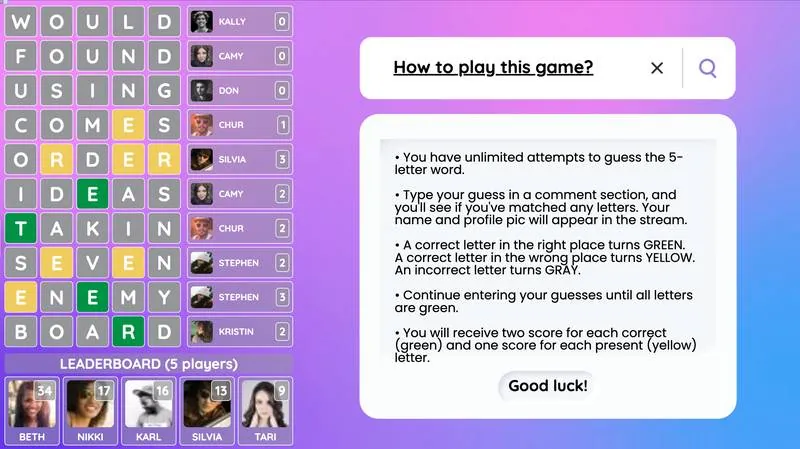
A five-letter word, guessed one comment at a time, with the rules on screen.
Wordict game with rules
Open template
A five-letter word, guessed one comment at a time, with the rules on screen.
Wordict game with rules
-
 Open template
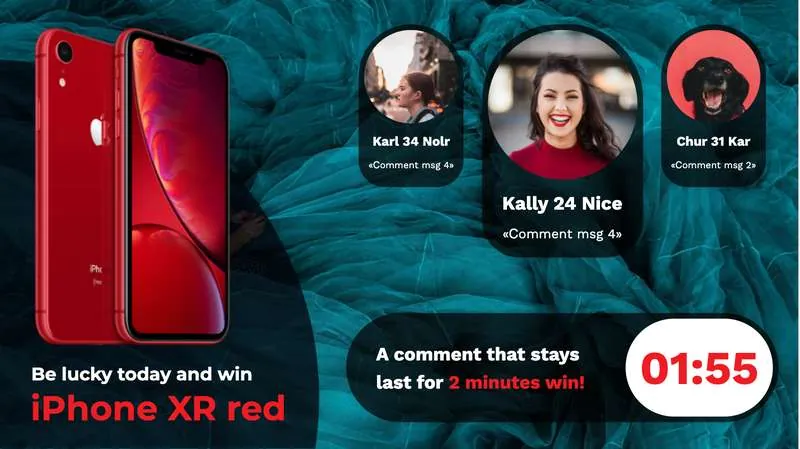
A timer that every comment resets, and the last commenter wins.
Last comment wins contest
Open template
A timer that every comment resets, and the last commenter wins.
Last comment wins contest
-
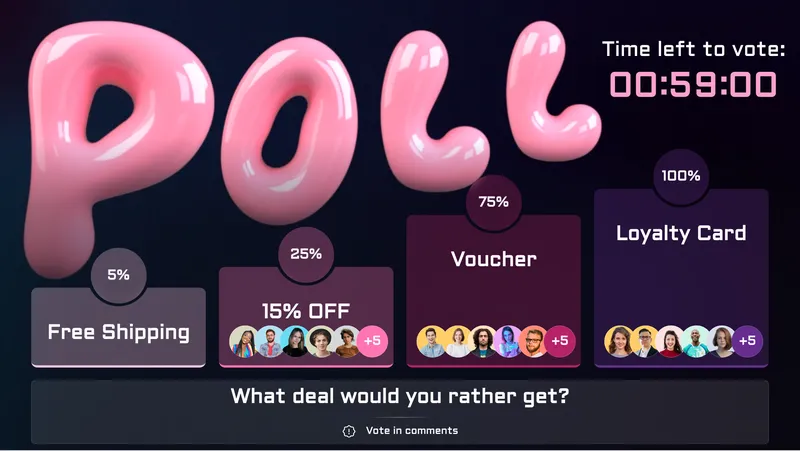 Open template
One word per option, counted once per viewer, with the bars on screen.
Bars comments poll
Open template
One word per option, counted once per viewer, with the bars on screen.
Bars comments poll
-
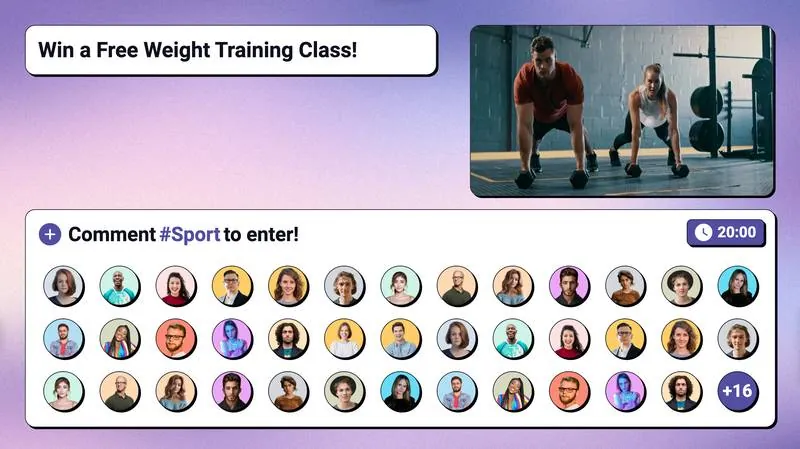 Open template
An entry word, the names filling the screen, and a random draw.
Giveaway
Open template
An entry word, the names filling the screen, and a random draw.
Giveaway
What people run an interactive live stream for.
A game fits any show that has an audience watching it live.
-
A quiz show
Trivia rounds with a leaderboard at the end; the knockout mode keeps the players who were right so far.
See the trivia game -
A product launch
A poll between two designs; the vote count moves on screen while the presenter talks.
See polls -
A giveaway for a drop
An entry word, a timer, a draw on screen, and the winner confirmed on the claim page.
See giveaways -
A Bible quiz after the service
The Bible trivia template, with its questions already written.
See church live streaming -
A vocabulary lesson
The week's words hidden in a word search; students type each one as they find it.
See word search -
A game inside a 24/7 or pre-recorded stream
A giveaway over a recorded video, or a trivia round inside a 24/7 stream. Every game runs in every kind of stream.
See pre-recorded live streaming
How other people run one.
-

Video: trivia games and giveaways in OBS
-
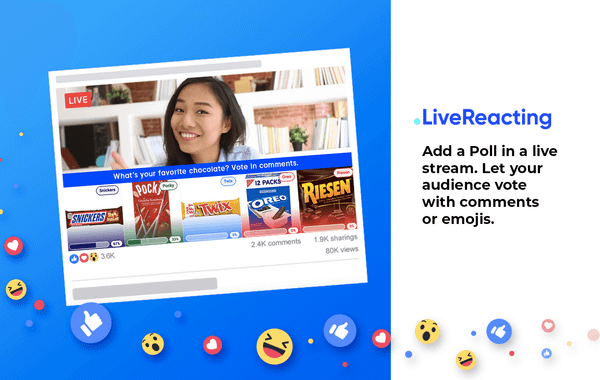
How to add a poll into a live stream
-
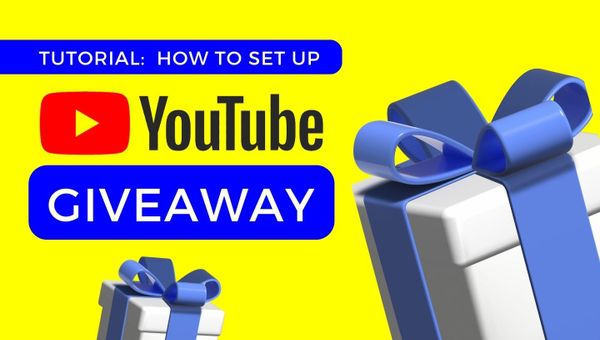
How to run a live giveaway on YouTube
-
Video: how to add a poll in a live stream
-
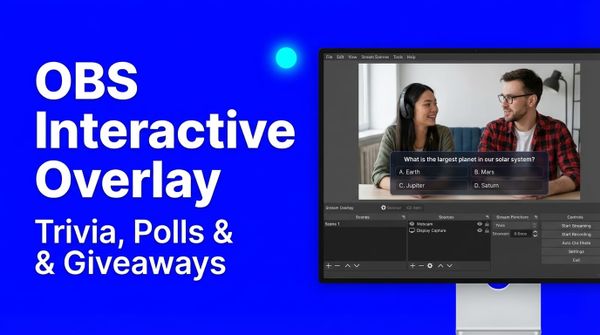
Add trivia, polls and giveaways to your OBS scene
-
How to contact the winner of a giveaway on YouTube
-
How to add a crossword in a live stream
-
How to run a Wordle-like game in a live stream
Frequently asked questions.
Which platforms can my viewers take part on?
YouTube, Facebook, Twitch and Instagram, in the live chat. Other destinations receive the stream but not the comments. For a trivia game, players on those platforms open a web page and answer there, and LiveReacting scores it like a comment.
Do viewers need an app or a link?
No. They stay on the video they are watching and type in the chat under it. Nothing sends them to another page or app to vote or play. The web page exists only for trivia on a platform whose chat LiveReacting cannot read.
Does every plan have every game?
Yes, the free plan included. No game is held back for a paid plan. Plans do differ in other ways, including the number of participants each one lists and whether it has Plugin Mode; the pricing page lists what each plan includes.
Can I use it with OBS, vMix, StreamYard, Wirecast or Ecamm?
Yes. Plugin Mode gives the project a link you add as a browser source. Your software sends the video; LiveReacting reads the chat on the YouTube, Facebook, Twitch or Instagram channel you connected to it. It comes with the Small plan and the plans above it on the pricing page.
Can a game run in a 24/7 or a pre-recorded stream?
Yes. Every game runs in every kind of stream, and there is a template that runs a giveaway over a recorded video.
How does LiveReacting count an answer?
It reads the comment text. For trivia, the option number or the answer; for a poll, the option's word; for a giveaway, the entry word. One answer per viewer, the first one.
Is a giveaway allowed on YouTube, Facebook or Twitch?
Each platform asks something different, read in September 2026 from its own page. YouTube asks that entry is free of charge and reminds you of local lottery law. Facebook asks that entry does not require sharing, reposting or tagging. Twitch asks you to show or read out a line saying Twitch does not sponsor the promotion. Instagram makes you responsible for running it lawfully. TikTok and Kick are not chats LiveReacting can read, so a giveaway does not run on them and their rules are not on this list.
Do I have to be on camera?
No. A game runs over a video, a playlist or a scene with your branding, and many of the templates are built that way. The templates page marks the ones that put a host on camera.
Can viewers see who is winning?
After each trivia round they see the right answer and who got it. The leaderboard shows at the end, and there is a leaderboard page you can share.
How many viewers can take part at once?
Each plan lists the number of participants it includes; the pricing page has the figure for each plan.
Can I run several games in one stream?
Yes, on different scenes, or one after another.
Does my computer have to stay on?
Not for a game over a video, a playlist or a 24/7 stream. If your camera is in the stream, or the game runs in OBS or other software through Plugin Mode, it does.
How do you make a live stream interactive?
- To make a live stream interactive, sign up to LiveReacting and open a game template, or add a trivia game, a poll or a giveaway to a stream you already have. Connect a YouTube, Facebook, Twitch or Instagram channel, so LiveReacting can read its live chat. Then go live, and your viewers answer, vote or enter by typing a comment, while the results appear on the stream.
-
- Sign up and open a game template, or add a game to a stream you already have.
- Connect the YouTube, Facebook, Twitch or Instagram channel you stream to.
- Go live, and viewers answer, vote or enter by commenting.
-
 Written and reviewed by the LiveReacting Streaming Team. Powering live streams since 2016. See customer results.
Last updated: September 2026
Written and reviewed by the LiveReacting Streaming Team. Powering live streams since 2016. See customer results.
Last updated: September 2026
Three things to have ready
- A free LiveReacting account The Free plan does not expire and has every game. What the paid plans add is on the pricing page.
- A channel your viewers comment on A YouTube, Facebook, Twitch or Instagram channel, connected with a login, so LiveReacting can read the live chat and count the answers.
- A game to run A template from the list above, or a trivia game, a poll or a giveaway added to a stream you already have.
Start your first interactive live stream.
Open a game template, connect your channel and go live. The chat stops being a place people read and becomes the place they play, and the results appear on the stream while you talk.
- No credit card
- 4.8 from 633 reviews
Every game is on every plan, the free one included. See pricing