What each one is built for
LiveReacting
Pre-recorded and 24/7 live streams: upload a video and go live, or build a playlist for non-stop streaming. The same account also does live shows from a browser studio with cameras, guests and a shared screen, multistreaming to several platforms at once, trivia, polls and giveaways with a chat overlay, YouTube ad breaks, ready-made templates, and control by an AI agent or your own code.
Restream
Producing a live show in its browser studio or in your own streaming software and sending it to several platforms at once, with one chat for all of them and clips of the best moments.
LiveReacting vs Restream, side by side
How we compared
LiveReacting figures come from our pricing page. Restream figures come from Restream's own pages and help center, and from YouTube's list of verified encoders; the number beside each Restream cell names its source below. "Not documented" means we found no public Restream page that says so.
- Restream pricing page, monthly and yearly, Creator and Business tabs, read on September 24, 2026
- Restream Help Center, using Restream for free, read on September 24, 2026
- Restream Help Center, create and stream a playlist of videos, read on September 24, 2026
- Restream Help Center, schedule your video as a pre-recorded event, read on September 24, 2026
- Restream Help Center, how long you can stream, read on September 24, 2026
- Restream Help Center, loop the video of your pre-recorded stream, read on September 24, 2026
- Restream Help Center, schedule your stream with Restream, read on September 24, 2026
- Restream Help Center, add a browser source in Studio, read on September 24, 2026
- Restream Upload & Stream page, read on September 24, 2026
- Restream Help Center, stream to YouTube, read on September 24, 2026
- Restream Help Center, stream to an existing YouTube event, read on September 24, 2026
- Restream Help Center, monetize your streams on YouTube, read on September 24, 2026
- YouTube Help, YouTube Live verified encoders, read on September 24, 2026
- Restream Media & Entertainment page, read on September 24, 2026
- Restream Help Center, requirements for pre-recorded videos, read on September 24, 2026
- Restream Developers, API documentation, read on September 24, 2026
- Restream Help Center, connect Restream MCP server to your AI assistant, read on September 24, 2026
| LiveReacting | Restream | |
|---|---|---|
| A live show on many platforms | ||
| Platforms | YouTube, Facebook, Twitch and Instagram; on every paid plan, also any platform that accepts RTMP, such as Kick, TikTok or LinkedIn, and several at once | Its list of platforms, and any other that gives an RTMP URL and stream key [1] |
| Platforms at once | Several at once, on every paid plan | Several at once on every plan, its Free plan included; paid plans from $19/mo [1] |
| One chat for every platform | Yes: comments from every platform you sign in to, answered from one place | Yes, on every plan, Free included [2] |
| Guests in a live show | Yes, on every plan: guests join from a link in the browser | Yes, guests in its Studio on every plan, the Free plan included [2] |
| Price | ||
| New-customer offer | $21.99/mo for the first 5 months, then $39.99. Or $287.93 for the first year billed yearly ($23.99/mo), then $396 a year. Code KICKSTART2026. The offer ends Oct 31, 2026. | None on its pricing pages. Multistreaming plans cost less billed yearly (Standard: $190 a year); the Upload & Stream page shows monthly prices only. [1] |
| Cheapest plan with video playlists | Free plan: playlists are on every plan. With no length limit, $39.99/mo, or $33/mo billed yearly on the 24/7 plan | $79/mo, Marathon (Upload & Stream add-on): a 4-hour video library, 1080p. Media, $239/mo, adds 4K and 12 hours. [3] |
| Cheapest paid plan for one pre-recorded video | $19.99/mo on Small, up to 1 hour a stream, 720p | $39/mo, Premier (Upload & Stream add-on): a 2-hour video library, 1080p, scheduling. No playlists, no looping. [4] |
| Free option | Free plan: 3 streams a month, 720p, 30 minutes each, LiveReacting watermark | Free plan: multistreaming, its Studio in HD, Restream branding [2] |
| Storage for a pre-recorded stream | 100 GB for each 24/7 stream, files up to 10 GB | A video library of 2 hours (Premier), 4 hours (Marathon) or 12 hours (Media) [4] |
| A pre-recorded stream | ||
| Limit on a pre-recorded stream | None set by the service on the 24/7 plan; platform limits apply | A playlist runs up to 24 hours [3] |
| Streams longer than 24 hours | Yes, on the 24/7 plan | No set limit, but Restream suggests restarting a stream every 24 hours and sells longer streams on a custom plan [5] |
| Playlists | Yes, on every plan, the Free plan included. The playlist loops, in a new shuffled order each time if you choose | From $79/mo (Marathon add-on), up to 40 videos [3] |
| Loop one video | Yes, on every plan, until you stop the stream or the plan's stream length ends; no limit on the 24/7 plan | Up to 10 times, 40 hours at most. A playlist does not loop. [6] |
| Scheduling | Yes, a date and time on every paid plan. Advanced Scheduling (several dates, or a repeat every set number of minutes, hours or days) on the 24/7 plan and from Medium | Yes, on every plan: a date and time for each event [7] |
| Change the videos while the stream is on air | Yes: add, remove or reorder videos without stopping the stream | Graphics and chat only. Videos are added, removed or reordered before the playlist goes live. [3] |
| Cut to a live camera or a guest | Yes, Live Studio in the browser: cameras, guests who join from a link and a shared screen, placed anywhere beside your videos and switched with scenes, while the stream stays on air | Not in a playlist: Restream's help says playlists cannot be mixed with live content. Its Studio can play a video inside a live show. [3] |
| What viewers see | ||
| Trivia, polls and giveaways in the live chat | Yes, all three. Up to 150 viewers play trivia or a poll at once on the 24/7 plan | Its help center shows polls from third-party services, added to its Studio as a browser source. No trivia or giveaways found. [8] |
| Live chat shown on the stream | Yes, a chat overlay with comments from every platform you connect with a login | Yes, comments from all platforms on screen [9] |
| YouTube and other outputs | ||
| Connect your YouTube channel by signing in | Yes | Yes, through your Google account [10] |
| Stream into an event already scheduled in YouTube Studio | Yes, on the 24/7 plan and from Medium | Yes, for a live or a pre-recorded stream [11] |
| Choose where YouTube ad breaks fall | Yes, Ad Slots Manager places them between two videos, on the 24/7 plan and from Medium | You set how often mid-roll ads run, at one of three levels; YouTube decides where they fall [12] |
| HLS, SRT and SCTE-35 ad markers | By request, on a custom plan | RTMP, SRT, HLS and WHIP on its Enterprise plan (custom price). SCTE-35 not documented. [1] |
| YouTube Live verified encoder | Not on the list. Streams through YouTube's official API; the app passed YouTube's API compliance audit and Google's verification | Yes [13] |
| Uploads, scale and automation | ||
| Import videos from a YouTube channel or playlist | Yes: paste a channel, playlist or video link, pick the videos, and they are imported to your media library. On every paid plan | Not documented on Restream's pages we checked [14] |
| Video encoding | Yes, free, on our servers, for a file the platform does not accept as it is | Uploads must be MP4, MOV, M4V or MKV in H.264 and AAC. A separate free converter turns other files into MP4. [15] |
| Many streams at once | Yes, up to 20 at checkout on the 24/7 plan, up to 1,000 on request | Yes, in separate workspaces, each with its own channels, stream keys and events [14] |
| API to create and control streams | Yes, on every paid plan | Yes, for channels, events, recordings, storage, clips and chat [16] |
| AI agents over MCP | Yes, on every paid plan: Claude Code, Codex, Cursor and other MCP clients | Yes, a remote MCP server for Claude, ChatGPT, Cursor and other MCP clients [17] |
On the Free plan you can build the whole stream and go live for a short test before you pay for the 24/7 plan.
Where is each one ahead?
LiveReacting is ahead on
- The same few steps as Restream to start a pre-recorded stream: upload your videos, put them in a playlist, go live. Everything below is there when you need it, in the same stream.
- A stream that runs until you stop it, on the $39.99 plan. A Restream playlist ends at 24 hours, and a looped video at 40.
- Playlists on every plan, the Free plan included, where Restream sells them in its $79 Marathon add-on.
- Videos added, removed or reordered while the stream is on air, without stopping it.
- Changes on the fly without stopping the stream, and Live Studio in the same stream: cameras, guests and a shared screen beside your videos.
- Trivia, polls and giveaways viewers play by typing in the live chat.
- Ad breaks placed between two videos with Ad Slots Manager, where Restream sets how often and YouTube places them.
Choose LiveReacting if you want pre-recorded and 24/7 streams that run as long as you like, with a straightforward setup and room to grow: interactive games, a chat overlay and automation.
Restream is ahead on
- Multistreaming a live show, with one chat for all of the platforms, on every plan.
- A Free plan that multistreams. On LiveReacting, multistreaming starts on a paid plan.
- Listed as a YouTube Live verified encoder. LiveReacting is not on that list.
- Clips of a stream's best moments, found by AI, from an add-on at $19 a month.
Choose Restream if multistreaming is your main need: many platforms at once with one chat, and a solid live studio with guests.
How do you start a stream of pre-recorded videos on each?
LiveReacting
- Create a free account and open a 24/7 template, or start from scratch.
- Upload your videos, or on any paid plan paste a link to a YouTube channel, playlist or video, or to a Google Drive or Dropbox file.
- Put them in a playlist: set the order, shuffle it or loop one file.
- Connect your YouTube channel by signing in, or paste a stream key.
- Click Go Live, or set the dates and times it should run.
How To Stream 24/7 on YouTube Using Pre Recorded Videos without OBS, our tutorial.
Restream
- Buy the Upload & Stream add-on on Marathon or Media: playlists need one of them.
- Connect your YouTube channel: open Channels, add YouTube and allow access with your Google account.
- On the home screen, click Pre-recorded livestream, then Playlist.
- Choose videos you already uploaded, or upload new ones, and drag them into order.
- Add designs, captions or QR codes if you want.
- Click Schedule, then set the date, the time and the channels.
From Restream's own help pages on playlists and on streaming to YouTube, read on September 24, 2026.
What does LiveReacting add to a pre-recorded stream?
A playlist is enough to go live. Each feature below joins the same stream when you want it. We found none of them on Restream's pages, except polls from third-party services shown in its Studio.
-
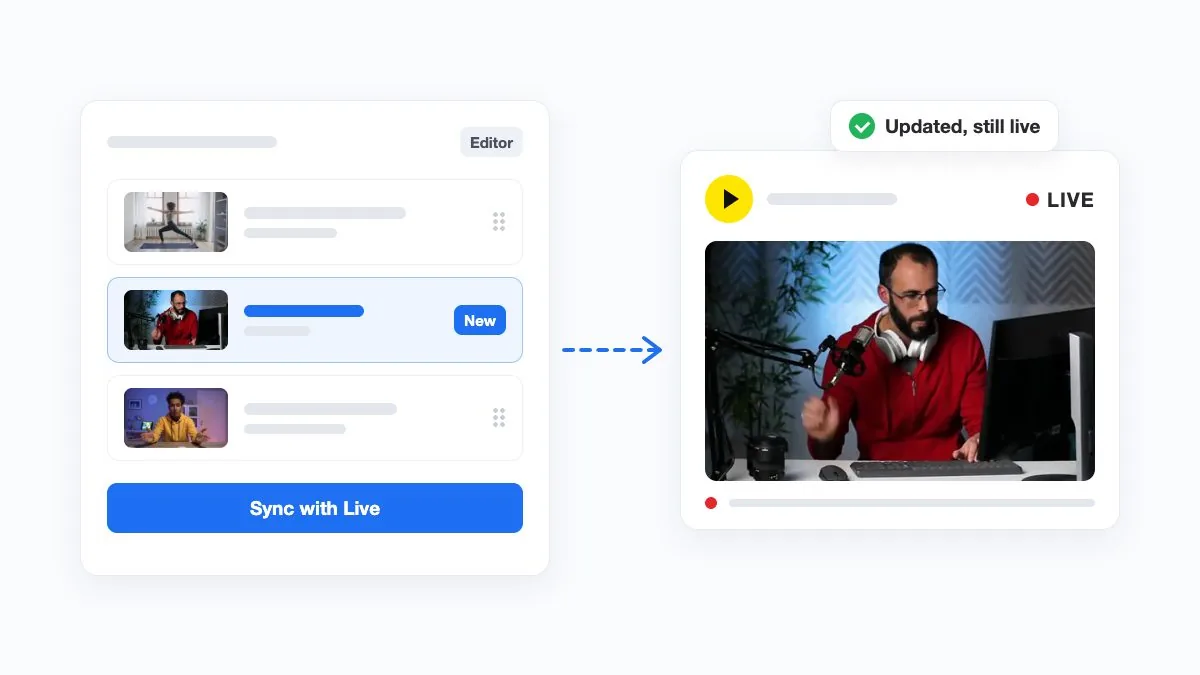
Change the videos on the fly
On Restream, the videos of a pre-recorded stream are set before it starts. Here you add, remove or reorder them while the stream is on air, without stopping it. Help Center guide.
-
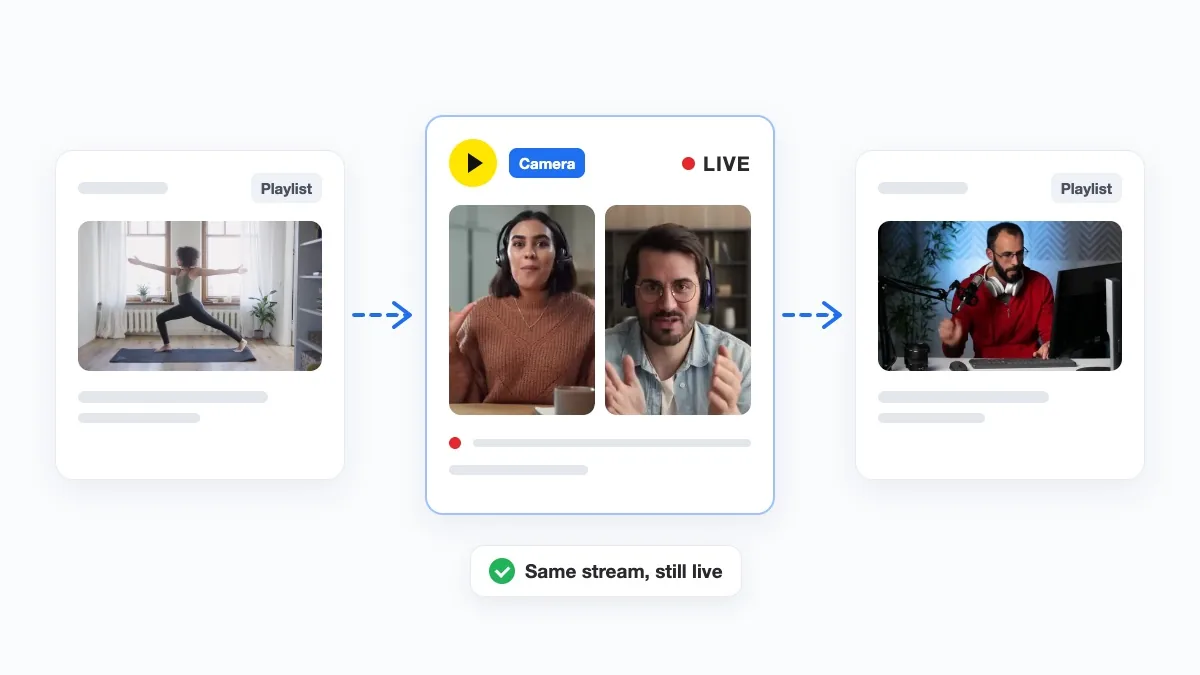
A live camera or guests in the same stream
Go live from your camera, or bring in a guest, in the middle of the stream. Share your screen, place everyone beside the videos, and the stream stays on air.
-
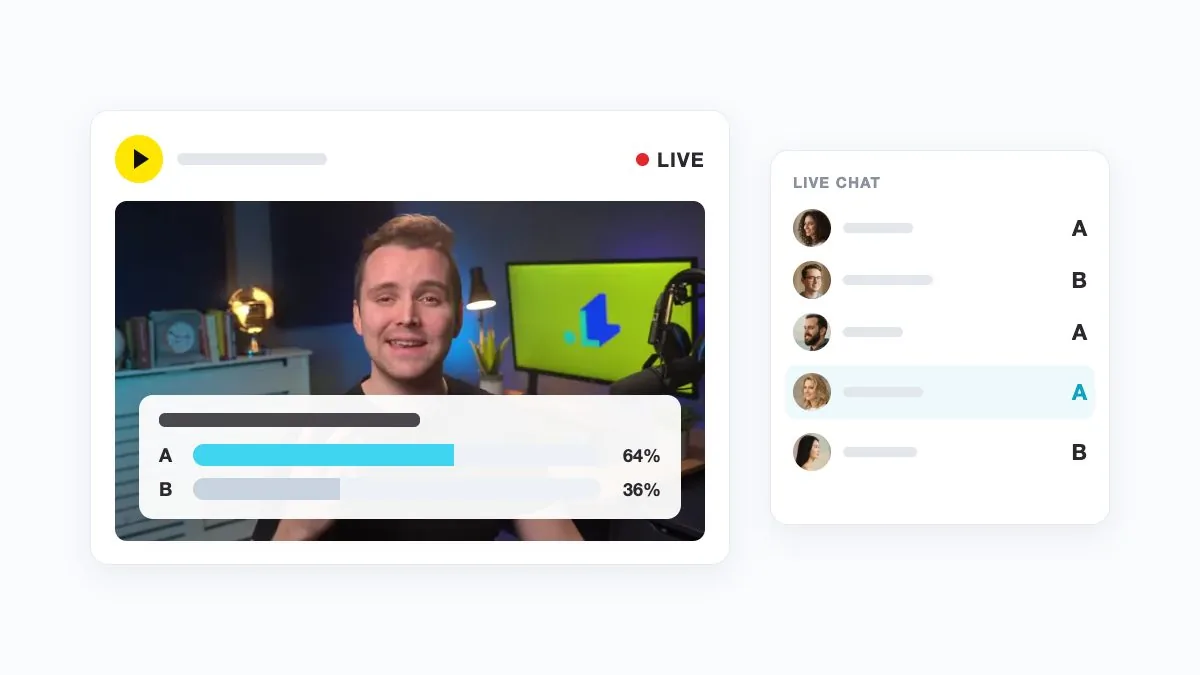
Trivia, polls and giveaways
Restream shows polls from third-party services in its Studio, during a live show. Here trivia, polls and giveaways run inside the pre-recorded stream, and viewers play by typing in the live chat. See interactive live streaming and why that matters on YouTube.
-
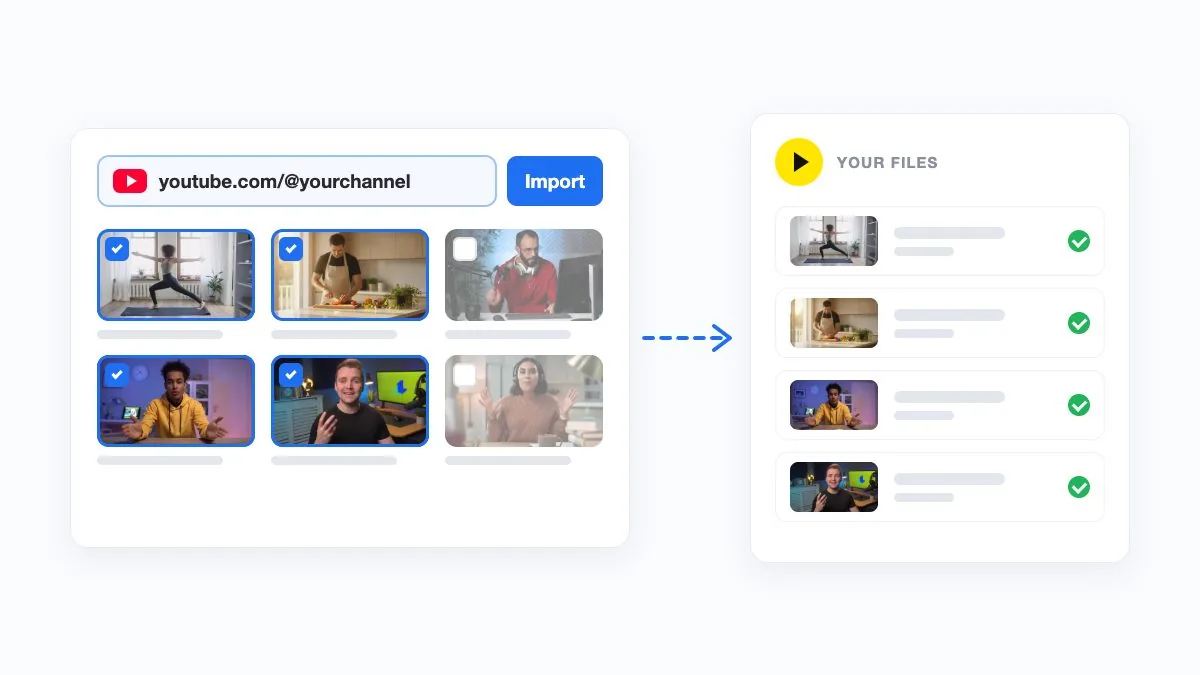
Bring in your YouTube channel
Bring the videos you already published: paste a YouTube channel, playlist or video link, pick the videos, and they arrive in your media library. On every paid plan. Help Center guide.
-
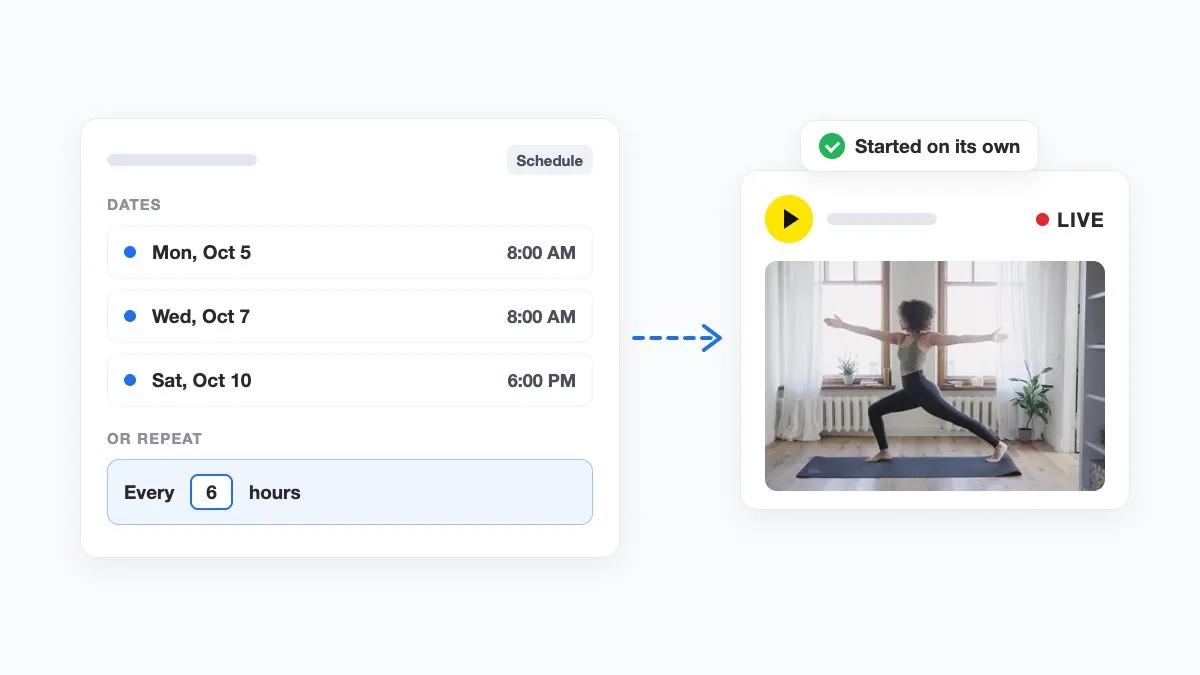
Several dates, or any gap you choose
Restream sets one date and time for each event. Here one stream can have several dates set at once, or repeat every set number of minutes, hours or days. Help Center guide.
-
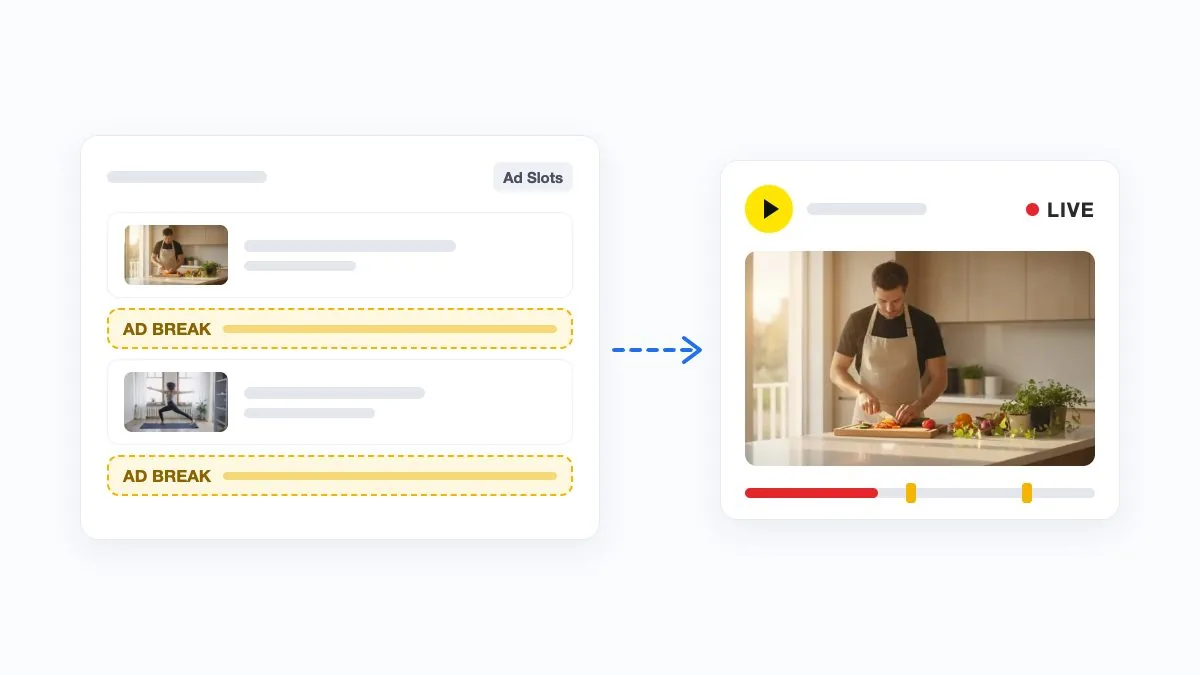
Ad breaks where you choose
Restream sets how often YouTube runs mid-roll ads. Ad Slots Manager places each break between two videos of your playlist. It needs monetization on your channel. Help Center guide.
-
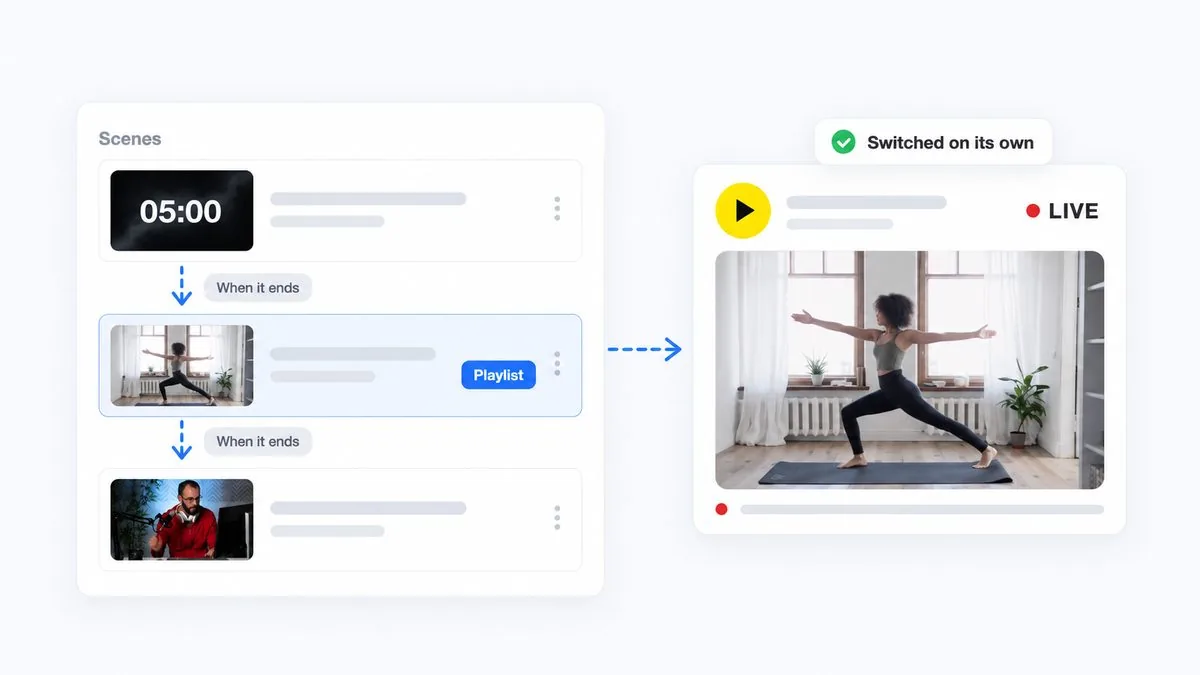
Advanced automation
A pre-recorded stream can be more than one video: a countdown, the show and a playlist after it, each scene starting the next when it ends. Help Center guide.
-
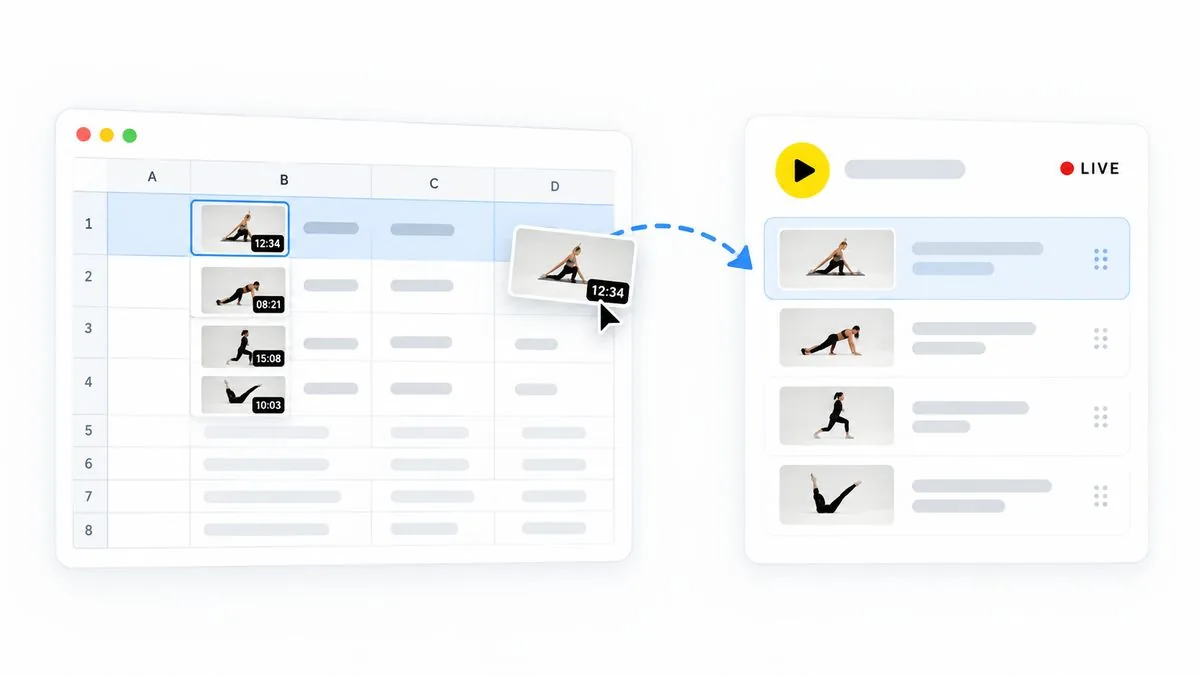
Build the playlist in a spreadsheet
Line up a long pre-recorded stream in a spreadsheet: upload a CSV of file names in order, and the playlist is built for you.
Can you start from a ready-made 24/7 stream?
Yes. If you have only streamed live shows so far, a template gives you a stream that runs by itself: open it, add your videos, and go live.
-
 Playlist of pre-recorded videos
Playlist of video files that play one after another in sequence for continuous streaming.
Playlist of pre-recorded videos
Playlist of video files that play one after another in sequence for continuous streaming.
-
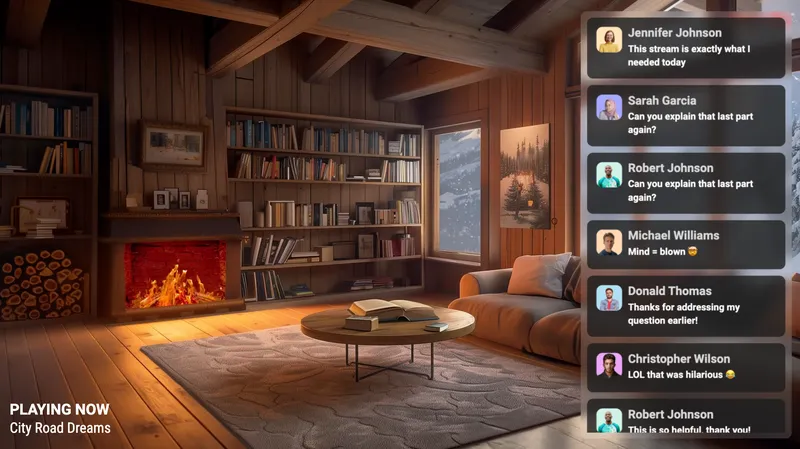 24/7 LoFi + chat overlay
24/7 lofi music live stream with audio playlist, animated background, and live chat overlay display.
24/7 LoFi + chat overlay
24/7 lofi music live stream with audio playlist, animated background, and live chat overlay display.
-
 Soul music 24/7
24/7 soul music radio live stream with audio playlist and audio visualizer graphic overlay.
Soul music 24/7
24/7 soul music radio live stream with audio playlist and audio visualizer graphic overlay.
-
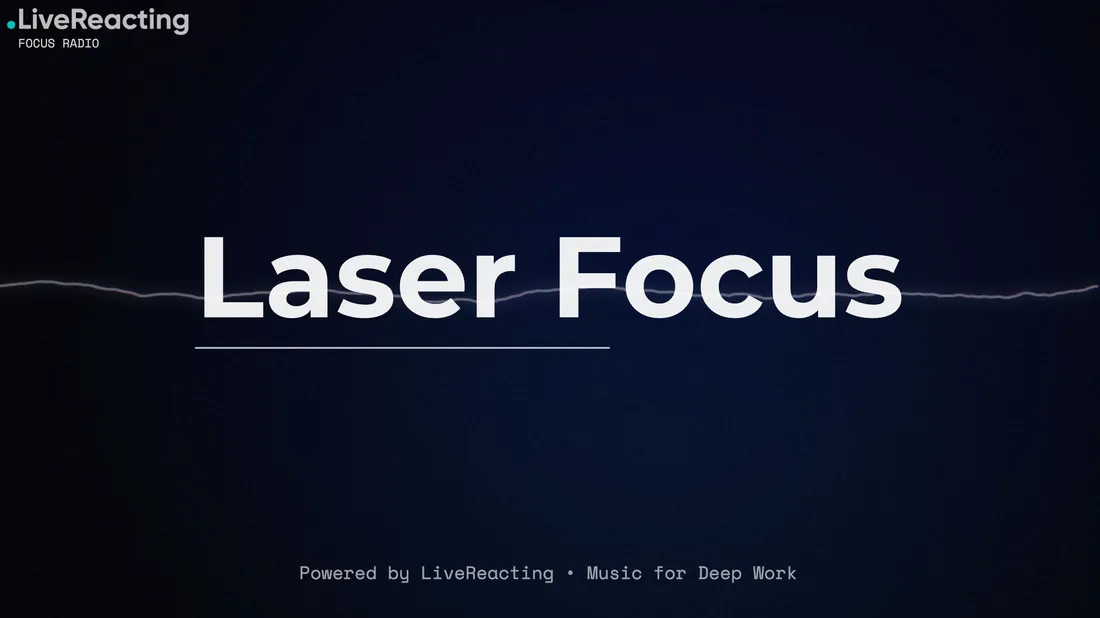 24/7 work radio
24/7 focus music live stream with productivity audio playlist and minimalist background for studying or working.
24/7 work radio
24/7 focus music live stream with productivity audio playlist and minimalist background for studying or working.
-
 24/7 fitness live stream
24/7 workout live stream with fitness video playlist or pre-recorded exercise videos playing continuously.
24/7 fitness live stream
24/7 workout live stream with fitness video playlist or pre-recorded exercise videos playing continuously.
-
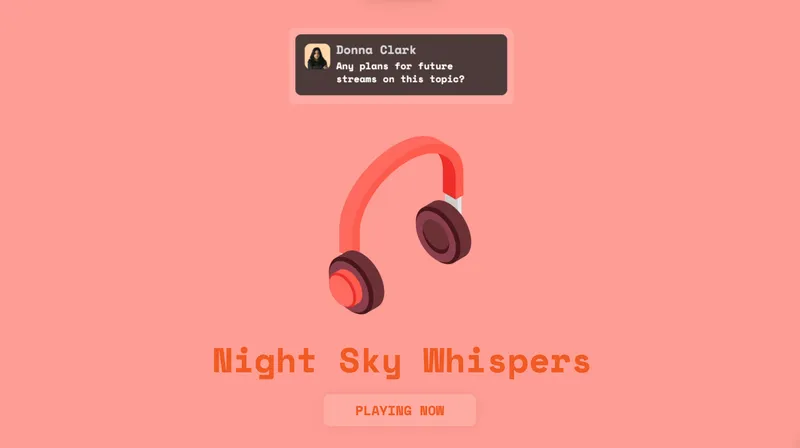 24/7 minimalistic LoFi
24/7 minimalist lofi beats stream with a minimal audio visualizer and clean aesthetic background design.
24/7 minimalistic LoFi
24/7 minimalist lofi beats stream with a minimal audio visualizer and clean aesthetic background design.
How much does a pre-recorded stream with a playlist cost on each?
On LiveReacting, one 24/7 stream costs $39.99/mo, or $33/mo billed yearly, with Video Playlists and Advanced Scheduling in the plan and no limit on length set by the service. On Restream, pre-recorded video is the Upload & Stream add-on: Premier, $39 a month, streams one video at a time, and playlists start on Marathon at $79 a month, with a playlist running up to 24 hours (Restream's pages, September 24, 2026).
For a live show you host yourself, Restream starts lower: its Free plan multistreams, and its paid plans start at $19 a month. LiveReacting's multistreaming starts on its Small plan at $19.99 a month.
New customers get 45% off the first 5 months month to month ($21.99 a month, then $39.99), or 40% off 12 months at $39.99 billed yearly ($287.93 for the first year, then $396 a year), on the 24/7 plan at 1080p 30 FPS with the code KICKSTART2026 until Oct 31, 2026. The offer comes on top of the volume discount.
How do you move a pre-recorded stream from Restream to LiveReacting?
- Bring your videos: upload them from your computer, or on any paid plan paste a link to a YouTube channel, playlist or video, or to a Google Drive or Dropbox file and LiveReacting fetches the file.
- Rebuild the order: add the videos to a playlist, or upload a CSV of the file names in order.
- Connect your YouTube channel and go live, or stream into an event you already scheduled in YouTube Studio.
If the platform does not accept a file as it is, LiveReacting converts it for free. Nothing is imported from Restream directly.
LiveReacting vs Restream: questions
Is LiveReacting a good alternative to Restream?
Yes, for a live stream of pre-recorded videos that viewers can play along with. LiveReacting runs it from its servers on YouTube, or on any other platform that allows one, with playlists on every plan and no limit on length set by the service on the $39.99 a month 24/7 plan. For a live show you host yourself on many platforms, Restream is built for that job, with one chat for all of them. Restream figures checked September 24, 2026.
Is LiveReacting harder to set up than Restream?
No. Upload your videos, put them in a playlist, connect YouTube or another platform, and go live. Restream's own help lists the same kind of steps for a playlist: buy its Marathon or Media add-on, connect the channel, choose and order the videos, and schedule it. On LiveReacting, scheduling, trivia and a live camera are there when you want them, not steps you take first.
Can Restream stream 24/7?
Not as one unbroken stream of pre-recorded video on its published Upload & Stream add-ons, according to its help pages on September 24, 2026. A Restream playlist runs up to 24 hours and does not loop, back-to-back playlists run as separate streams 2 minutes apart, and one video loops up to 10 times, 40 hours at most. Restream suggests restarting any stream every 24 hours and sells longer streams on a custom plan. LiveReacting's 24/7 plan, $39.99 a month, sets no limit on length.
Which is cheaper for a pre-recorded stream with a playlist?
LiveReacting, at $39.99/mo, or $33/mo billed yearly, with no limit on length set by the service. On Restream, playlists need the Upload & Stream add-on on Marathon, $79 a month, and a playlist runs up to 24 hours. Restream prices checked September 24, 2026. New customers pay $21.99 a month for the first 5 months on LiveReacting, then $39.99. The offer ends Oct 31, 2026.
Can I change the playlist while the stream is live?
On LiveReacting, yes: add videos, remove old ones or change their order while the stream is on air, without stopping it. On Restream, videos are added, removed or reordered only before a playlist goes live, and while it airs only graphics and chat can be edited, according to its help page on September 24, 2026.
Can a pre-recorded stream have polls or trivia?
On LiveReacting, yes: trivia, polls and giveaways run in the pre-recorded stream, and viewers take part by typing in the live chat. Restream's help pages show polls from third-party services added to its Studio, and we found no trivia or giveaways on its pages, as of September 24, 2026.
Will YouTube treat a 24/7 stream on LiveReacting or Restream as repetitive content?
With either tool, the risky case is one short video looping with nothing else on screen. A playlist shuffled into a new order each time it loops, a chat overlay with viewers' comments, and trivia or polls in the live chat make each hour different, and LiveReacting has all of these, the 24/7 plan included. Our guide to looping a video on YouTube Live explains the policy.
Is LiveReacting a YouTube Live verified encoder?
It is not on YouTube's list of verified encoders, as of September 24, 2026. LiveReacting streams to YouTube through YouTube's official API, and the app passed YouTube's API Services compliance audit and Google's verification. Sign in with your YouTube channel and LiveReacting creates the live stream there for you.
Can I multistream with both?
Yes. Restream multistreams on every plan, its Free plan included, and its paid plans start at $19 a month. LiveReacting sends one stream to several platforms at once on every paid plan, from $19.99 a month, the 24/7 plan included. With either tool, Facebook ends a live stream at 8 hours and Twitch at 48.
Do I need to keep my computer on?
Not for a pre-recorded stream, with either one. Both stream the videos from their own servers, so your computer can be off while the stream runs.